About the platform
NeuroLate is a platform for automating the translation of comics, manga and webtoons. We don’t replace translators — we help them work more efficiently.
Automation without replacing people
AI handles the routine: text recognition, first-pass translation, image cleaning. The final quality is up to you.
Systematized workflow
Completion marks, progress tracking, change history. It’s always clear what’s done and what’s left.
One platform for every stage
Translation → Cleaning → Typesetting. The whole process in one place, with no switching between tools.
📱 Work from your phone
Every stage before typesetting (translation, editing, cleaning) is available on mobile devices. Typesetting can be done through the in-browser editor on a computer or by working with exported PSD files in Photoshop.
Translation & editing
A two-step process: first verify the recognized text, then edit the translations.
Verification (Step 1)
During verification, the accuracy of text and area recognition is checked.
Automatic detection of text areas in the image. Accuracy: ~80%
Accuracy: 99% for Korean/Chinese, 100% for English, Spanish and other Latin-script languages
Adding missed areas, removing extra ones, fixing recognition errors
Editing (Step 2)
Editing and finalizing translations with the help of AI assistants.
3 translation variants
A main variant (quality + naturalness) and 2 alternatives to compare and pick the best.
Term glossary
In developmentManually define terms, character names and specific vocabulary for consistent translation.
Translation+
PaidImproved translation quality powered by more capable language models.
Translation settings
Control the style: profanity, genre selection, tone of the text.
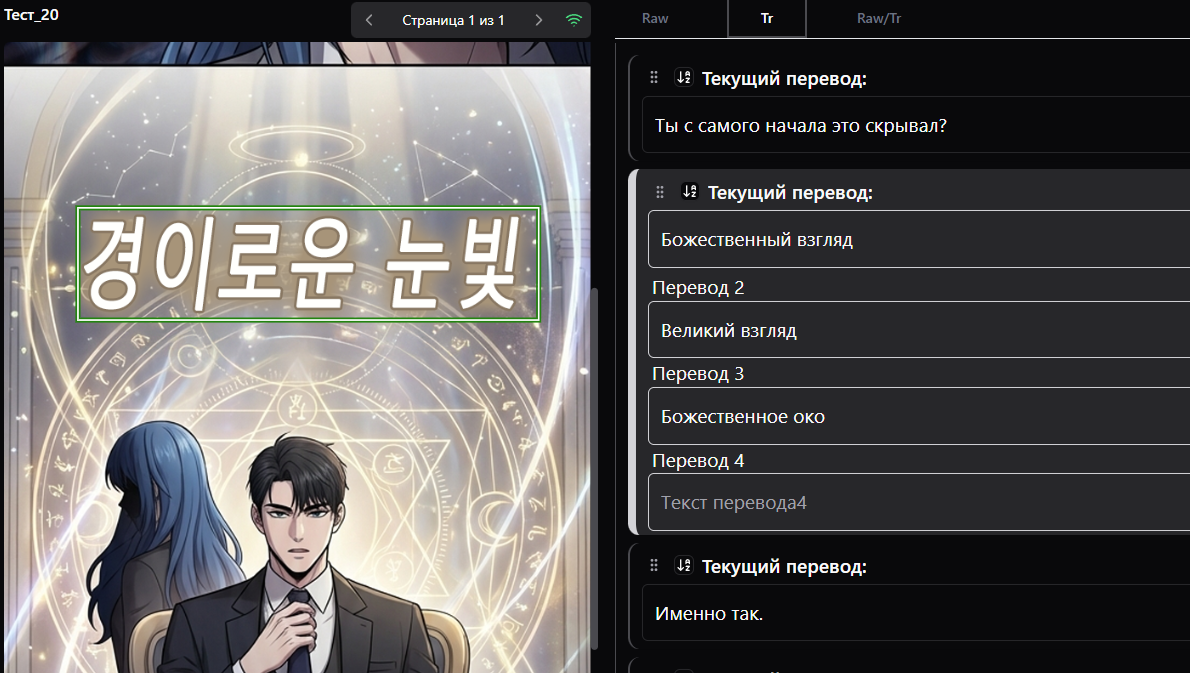
Image cleaning
Automatic text removal from images with background restoration.
✓ Works well (~80% of cases)
Simple backgrounds, gradients, repeating patterns, bubbles with a uniform fill
⚠ Limitations
Complex detailed backgrounds, character faces, fine artwork elements behind the text
Automatic cleaning
Included in the base functionality
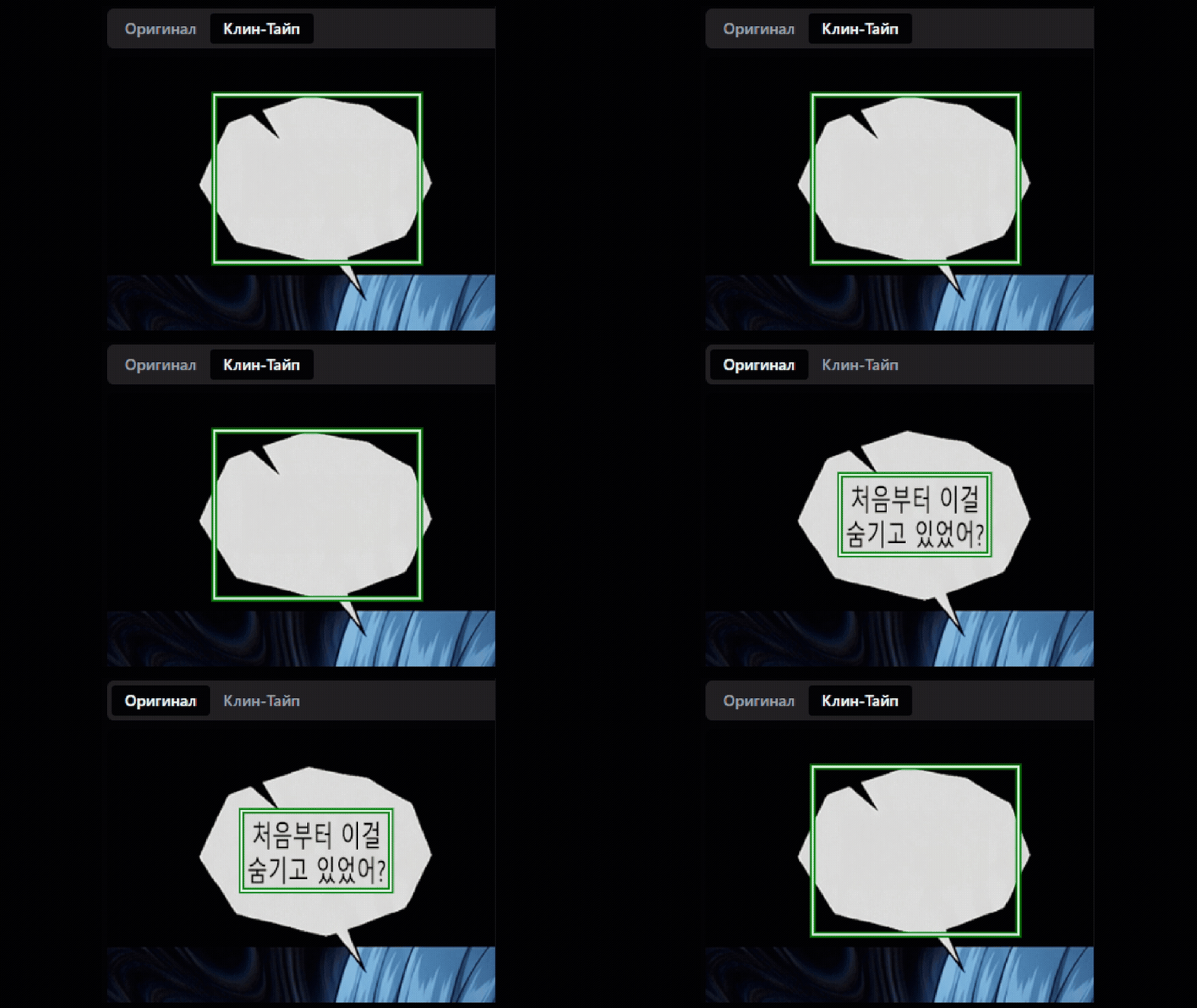
Manual re-cleaning
For complex cases
📷 Soon
Typesetting
Automatic and manual typesetting of translated text onto images.
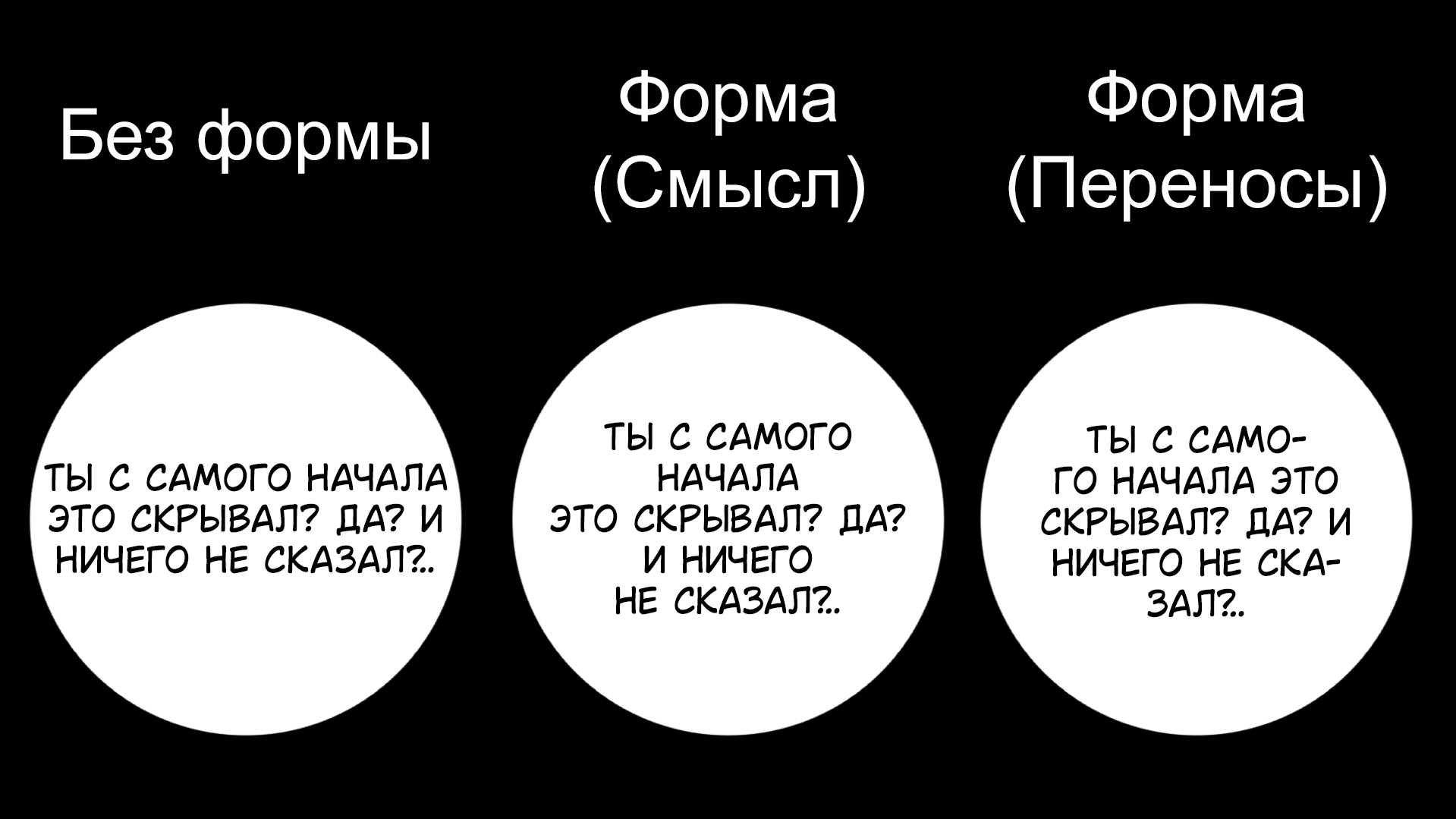
Layout shapes
No shape
Free text placement. Suitable for manually adjusting position and size.
Shape (by meaning)
Splitting text by punctuation marks. Preserves logical pauses.
Shape (by wrapping)
Repeating the bubble shape: circles, ovals, rectangles.
Text sizes
Set the font size range for the whole project
80% = more breathing room, 100% = maximum fill
Available for testing on request
Style templates
Combinations of fonts and parameters
In developmentSave presets: font + line spacing + width. Apply them to new projects with one click.
Current accuracy of automatic matching: ~80%
Text style recognition
Automatic detection of the text type:
Automatic template assignment
The system detects the text type and applies the matching style template.
Effect recognition
In developmentColor, gradients, glows, strokes — automatically detected and applied.
Current accuracy of effect recognition: ~60%
Editor
Photoshop-like editor
BetaManage text styles and effects right in the browser. Layers, masks, effects.
The editor still has rough edges and is being actively improved.
Export
Export to PSD
Photoshop files that keep all layers: original, cleaning, text layers.
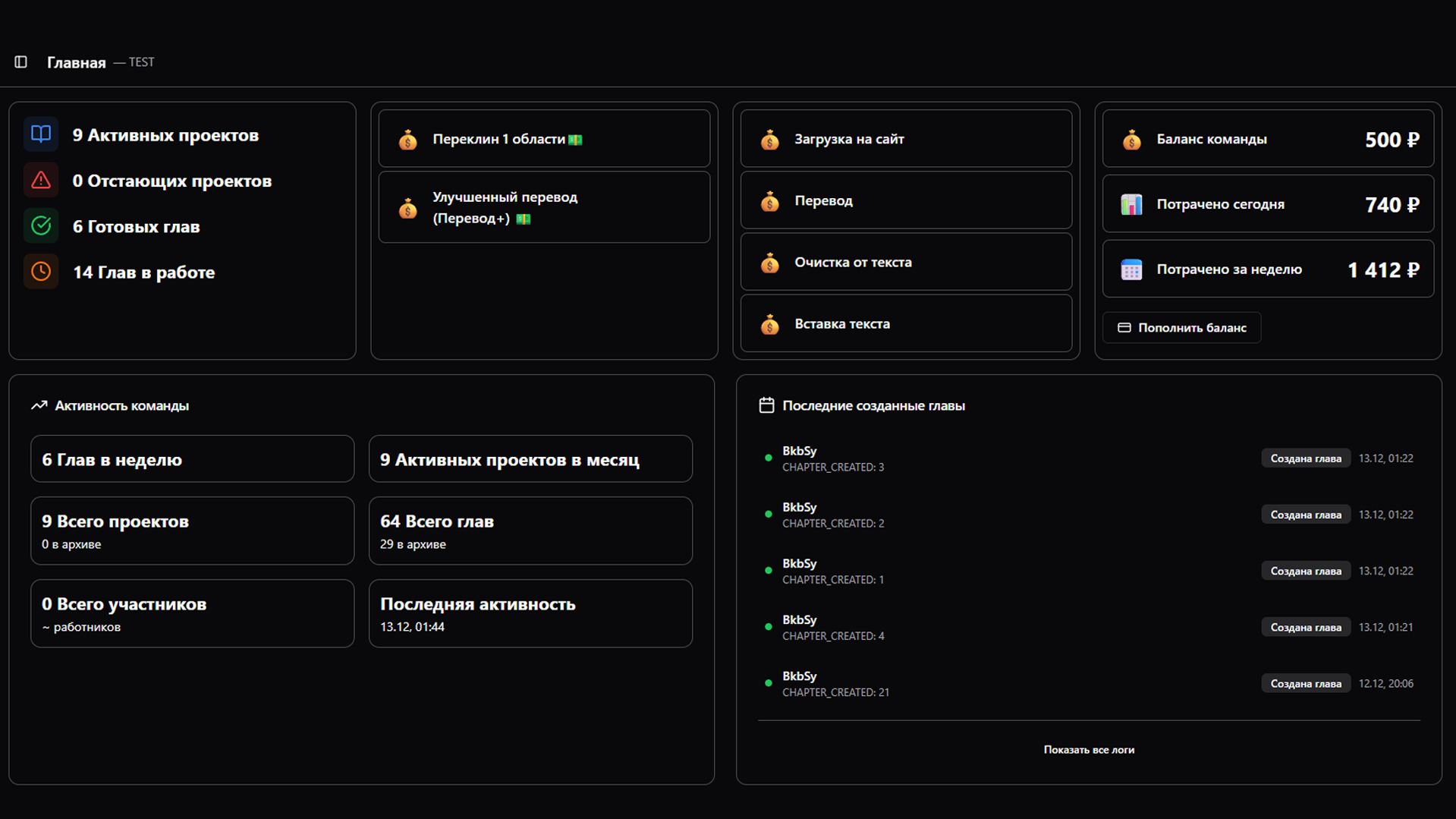
Team administration
Tools for managing the team, tracking progress and controlling quality.
Action logs
Who changed what in the project, and when
By members, dates, action types
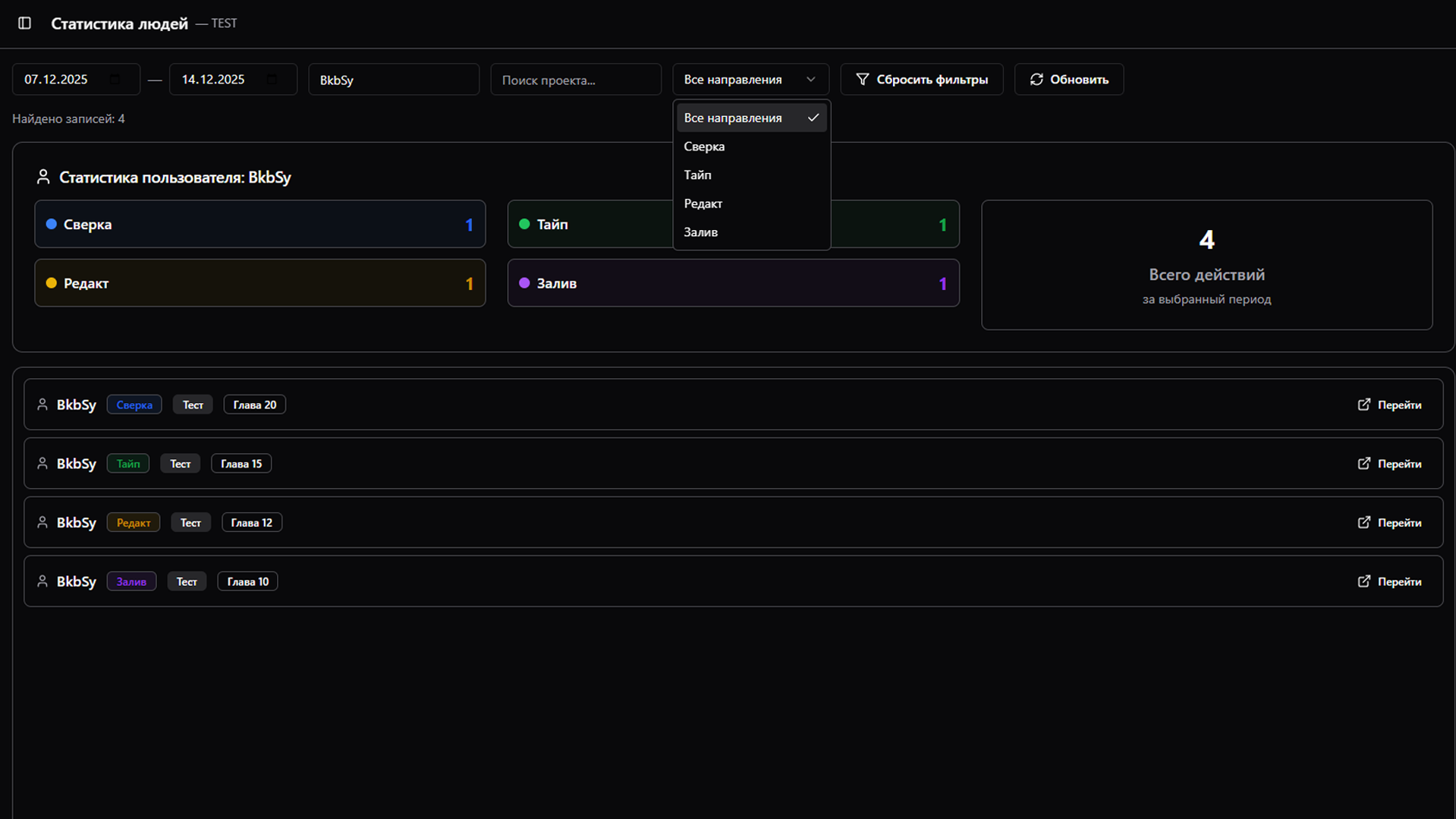
Worker statistics
Individual statistics
Track who did how much work, and which kind.
Member management
Invite links and direct member additions
Configure roles in each project, granting access only to what you want.
Flexible permission settings for each role
Project management
Creation and setup
Project structure, metadata, translation and style settings.
Assigning members
Distributing members across projects based on their roles.
Project glossary
A unique glossary for each project with terms and names.
Leave your requests through our Telegram bot
Pricing
Transparent and fixed pricing per translated CHAPTER.
Fixed prices
Basic page translation
Improved quality with more capable models
Manual re-cleaning of a single area
Negotiable prices
Base prices, may change for large teams
Detecting areas and the original text
Automatic removal of text from the image
Placing the translated text onto the image
All functionality not listed separately is included in the cost of the core features.
For licensed projects: all prices are negotiable. Contact us to discuss the terms.